
Cornerstone Computer Solutions
Providing IT Services to the Healthcare Industry Since 2005!
Executive Summary
Opening a modern healthcare practice is effectively opening a technology-driven clinical operation. Every workflow—from scheduling and charting to imaging, phones, payments, and security—depends on a properly designed and installed network and infrastructure. Decisions made during planning and construction are the hardest to undo later. This guide walks you through the complete IT lifecycle aligned with construction, including planning, cabling, installation, security, testing, go-live, and ongoing support.

Construction Timeline and IT Milestones
- Phase 1 Internet Survey and ISP coordination
- Phase 2 Planning, Design & Budget
- Phase 3 Chalk Walk and Box Walk
- Phase 4 Structured Cabling Pre-Wire
- Phase 5 Structured Cabling Trim
- Phase 6 Core Network Installation
- Phase 7 Security, Audio/Visual, and Phone System Installation
- Phase 8 Computer Network Installation
- Phase 9 Managed Services & Long-Term Support
This timeline ensures IT deployment is synchronized with construction progress to eliminate delays and change orders and ensure readiness.
Stage-by-Stage IT Buildout Plan
The stages below map out Cornerstone’s buildout process while expanding into the systems dentists and medical doctors typically need before opening day. Early, capable IT coordination prevents expensive rework and opening delays.
Beginning with the End in Mind
What opening day looks like:
- Verified internet service installed and tested
- Labeled and documented cabling
- A stable wired network with segmented Wi‑Fi (staff & guest)
- Phone system fully configured
- Alarm and surveillance camera systems fully configured
- Audio/visual solutions fully configured
- Computer network fully configured and secured
- Imaging/EHR integrated and performance-tested
Staff trained on the exact workflows they’ll use on day one
Phase 1 – Internet Survey and Telecom Feasibility
When this happens
- Immediately after LOI or address confirmation
Why this matters
- Internet is often the longest lead-time item in your entire project. Fiber installs can take 60–120+ days. Starting early prevents opening delays.
What Cornerstone does
- Identify available providers (fiber, cable, fixed wireless)
- Confirm available speeds and reliability
- Recommend primary and backup internet options
- Coordinate with landlord and providers
- Initiate installation orders
What you receive
- Internet provider comparison and recommendation
- Bandwidth sizing based on your imaging and software
- Installation timeline aligned with construction
Ground-Up vs Tenant Finish
- Ground-up:
You can influence conduit and demarc placement early - Tenant finish:
We validate building fiber availability and landlord restrictions
Risk prevented
- Opening without internet — one of the most common startup delays.

Phase 2 – Planning, Design & Budget
When this happens
- Once you have a test fit or preliminary floorplan
Why this matters
- The is the ideal time for two reasons. First of all, this will allow you to factor IT costs into your overall budget. If you are working with a lender, they will need this information. Secondly, developing an IT plan before you have finalized construction documents allows Cornerstone to coordinate technology-related items (power, data, backing, conduit, etc.) with your architect and contractor, and eliminate IT-related change orders during construction.
What Cornerstone does
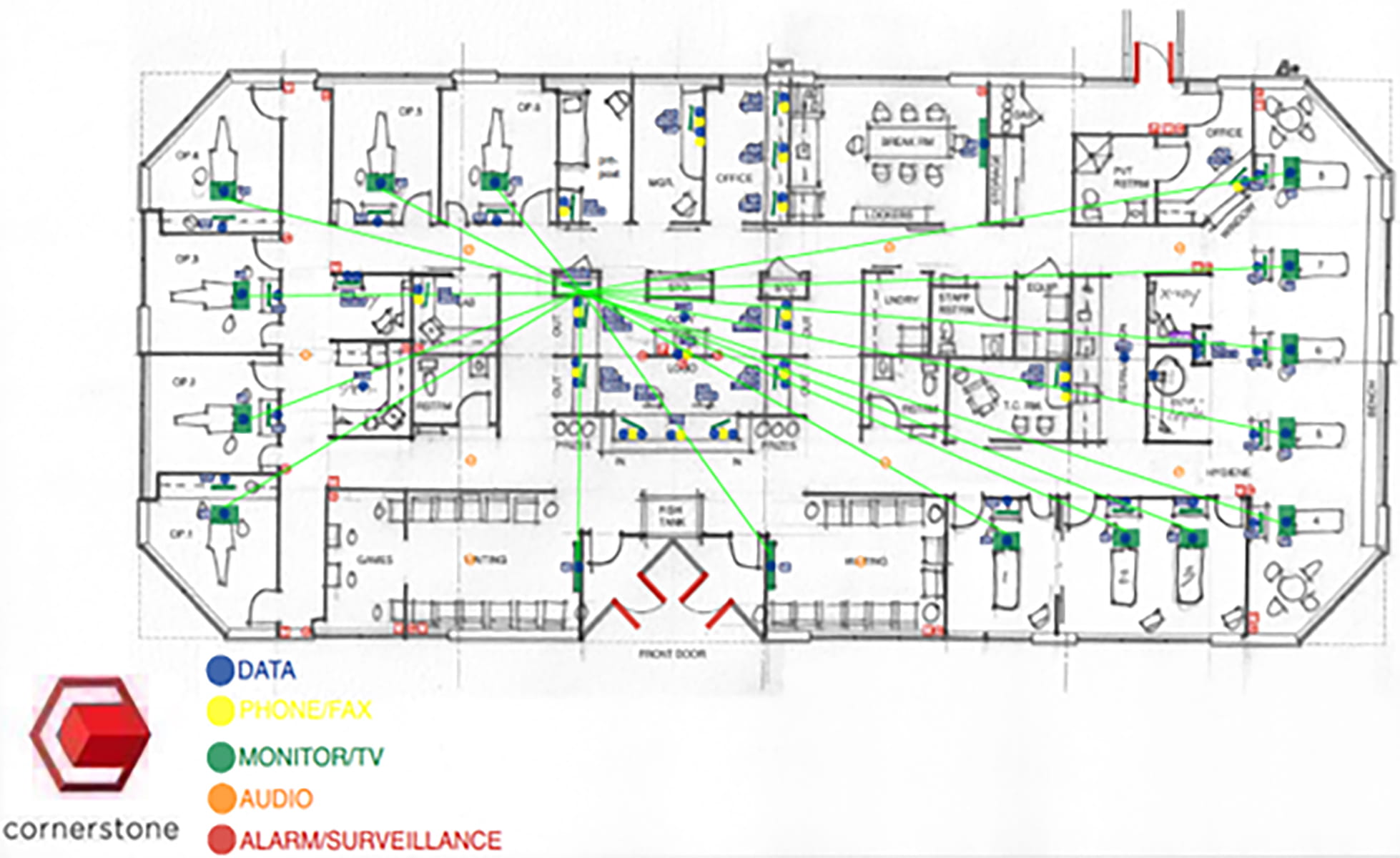
- Review your floorplan with you room-by-room and discuss the technology needs in each room
- Build plan for network infrastructure (low voltage cabling, switch(es), firewall, wireless access points), computer network (computers, laptops, printers, etc.), audio/visual solutions (TVs, speakers, etc.), security systems (alarm system, video surveillance), and phone system
- Coordinate with your architect, contractor, and any other relevant 3rd party vendors
What you receive
- Marked IT plan for coordination with your architect, contractor, and any other relevant 3rd party vendors
- Detailed and comprehensive IT proposal
- Installation timeline aligned with construction
Ground-Up vs Tenant Finish
- Ground-up:
Complete control over IT room placement and pathways. - Tenant finish:
Design must work within existing building constraints.
Risk prevented
Change orders during construction due to poor planning.
Phase 3 – Chalk Walk & Box Walk
When this happens
- Before drywall installation – these are critical checkpoints in construction.
Why this matters
- This is the last opportunity to make changes before walls close.
What Cornerstone does
- Chalk Walk:
A chalk walk occurs before framing and is important because it ensures that critical infrastructure like conduit, core drills, and cabling pathways are accurately planned and marked on-site before construction progresses. This step prevents costly adjustments later, ensures IT needs are met, and aligns physical layouts with operational requirements.
- Box Walk:
A box walk occurs after framing but before drywall and is crucial because it is when we finalize the exact placement of all IT-related outlets, devices, and equipment before construction is completed. This ensures the infrastructure aligns with operational needs, eliminates guesswork, and avoids expensive changes after walls are closed. It’s the last opportunity to verify everything is in the right place.
What you receive
- Professional on-site management of your IT installation
Risk prevented
Missing cable drops or incorrectly placed infrastructure, resulting in expensive change orders.
Phase 4 – Structured Cabling Pre-Wire
When this happens
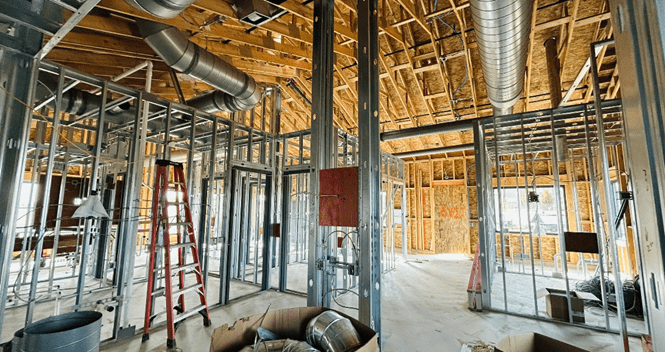
- Early in construction, typically before drywall
Why this matters
- This is the foundation of your entire IT infrastructure
What Cornerstone does
- During the low-voltage pre-wire phase, cabling for IT systems like data, voice, and video is installed before walls and ceilings are closed. This ensures all necessary connections are in place and future-proofs the space for technology needs.
Risk prevented
- Expensive wall openings, disruptive or costly retrofits later
Phase 5 – Structured Cabling Trim
When this happens
- After walls and ceilings are complete
Why this matters
- This is the foundation of your entire IT infrastructure
What Cornerstone does
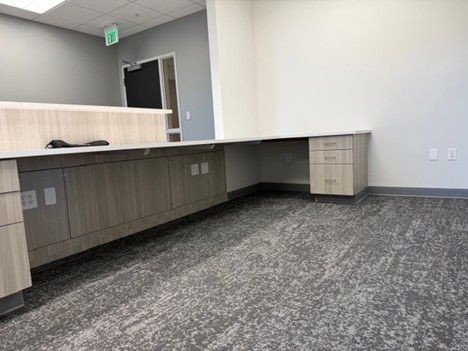
- During the low-voltage trim phase, technicians install and terminate cables, mount wall plates, and connect devices like network jacks, wireless access points, and audio/visual equipment. This step prepares the infrastructure for final testing and ensures the system is ready for operation, with a clean and professional finish.
Risk prevented
- Hidden wiring issues that cause performance problems
Phase 6 – Core Network Installation
When this happens
- After cabling is complete
Why this matters
- This is the backbone of your network and is critical to the speed, stability, and security of your IT systems
What Cornerstone installs
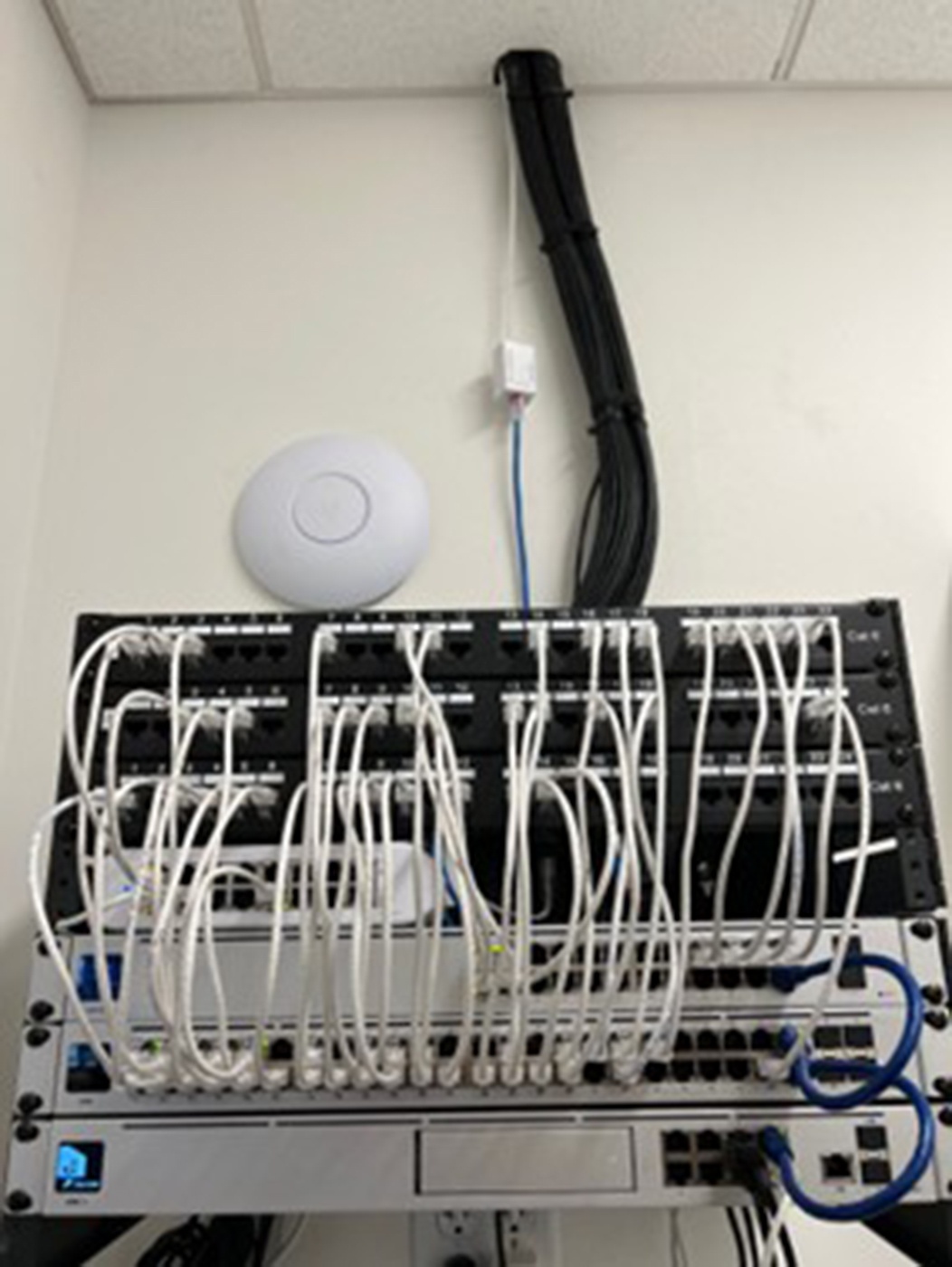
- Network rack and cable management
- Enterprise firewall
- Managed network switches
- Install enterprise wireless access points
- Configure secure staff network
- Configure separate guest network
- Validate signal coverage & optimize performance
- Battery backup (UPS)
- Network security configuration
What you receive
- Certified and documented network layout
Risk prevented
- Network outages, performance problems, and security risks that disrupt clinical workflow
Phase 7 – Security, Audio/Visual, and Phone System Installation
When this happens
- Near the end of construction, before opening day
Why this matters
- This phase focuses on everything your team and patients interact with immediately when they walk through the door
What you receive
- Certified and documented installation of systems with staff training
Risk prevented
This ensures your practice is operational, secure, and professional from day one

What Cornerstone installs
- Alarm & Security System
- Alarm panel installation and configuration
- Motion sensors and door contacts
- Keypad and mobile app access
- Surveillance Camera System
- Camera placement and installation
- Network video recorder (NVR) configuration with secure remote viewing setup
- Audio/Visual Systems
- TVs
- In-ceiling or wall-mounted speakers
- Conference room AV setups
- Phone System
- VoIP phone installation
- Auto-attendant configuration
- Call routing and voicemail setup
- E911 compliance configuration
Phase 8 – Computer Network Installation
When this happens
- Near the end of construction, before opening day
Why this matters
- This is when your network comes fully online
What Cornerstone installs
- Workstations & Devices
- Administrative and clinical computers/laptops/tablets
- Printers, scanners, and other peripheral devices
- Server/Storage Infrastructure
- On-premise server or NAS (if required)
- Cloud integration (if applicable)
- Secure storage configuration
- Imaging performance optimization
- Practice Management & Imaging Software
- Practice management system installation
- Imaging software coordination
- Vendor collaboration and validation
- End-to-end workflow testing
What you receive
- Certified and documented installation of systems with staff training. When this phase is complete, your practice is clinically ready.
Risk prevented
- This ensures there are no surprises on opening day, workflows are seamless, and your network is secure and compliant
Phase 9 – Managed Services & Long-Term Support
When this happens
- Ongoing from day one
Why this matters
- Opening day is just the beginning. This phase ensures your investment remains protected and optimized long-term.
What Cornerstone does
- Proactive 24/7 network monitoring & reporting
- Managed antivirus/endpoint protection
- Firewall management
- Security updates and patching
- Continuous backup monitoring with test restore validation
- Disaster recovery planning
- Remote and on-site support
- Defined emergency response time
- Helpdesk access for your staff
- Ongoing vendor coordination
- Access to HIPAA & cyber risk assessments
What you receive
- Proactive, preventative IT support that protects your network and allows you to focus on patient care, not IT problems
Risk prevented
- Without managed services, small issues become large outages, security gaps go unnoticed, backup failures go undetected, and technology slowly degrades. With managed services, problems are often resolved before they impact patients, security stays current, and your practice remains stable and predictable
Cornerstone Computer Solutions
Dental and Medical IT Buildout Experts
Cornerstone provides complete IT leadership for startup practices, ensuring a smooth opening and reliable long-term operation.
We are Here to Help!
Peace of mind is essential. Any time you need us, we’re just a click or call away.
Sign Up for Our Newsletter!
Don’t miss our quarterly newsletter. Sign up today!