
What IT Setup Does a New Dental Practice Need Before Opening?
Cornerstone Computer Solutions
Providing IT Services to the Healthcare Industry Since 2005!
Opening a new dental practice is exciting, but it also comes with hundreds of decisions that must come together before the first patient walks through the door. One of the most important decisions is your dental office IT setup. A new dental practice needs more than computers. It needs a secure, connected technology foundation that supports scheduling, imaging, treatment rooms, billing, communication, cybersecurity, backups, and daily patient care.
Cornerstone Solutions helps dental practices build reliable IT systems before opening day. Serving Colorado, Texas, and the Greater Rocky Mountain Region, our team works with healthcare practices to plan, install, secure, and support technology that keeps the office running smoothly. When your IT setup is handled early, your practice can open with fewer delays, fewer surprises, and stronger protection for patient information.
This Article will address
- What IT setup a new dental practice needs before opening
- How early dental IT planning should begin
- Whether a new dental clinic needs a server, cloud system, or both
- What computers, equipment, and network systems are needed
- How dental imaging and practice management software should be integrated
- What cybersecurity protections a new dental office needs
- How to protect patient information from day one
- What backup and disaster recovery systems should be in place
- What affects the cost of dental office IT setup
- Why dental practices choose Cornerstone Solutions for IT setup and support
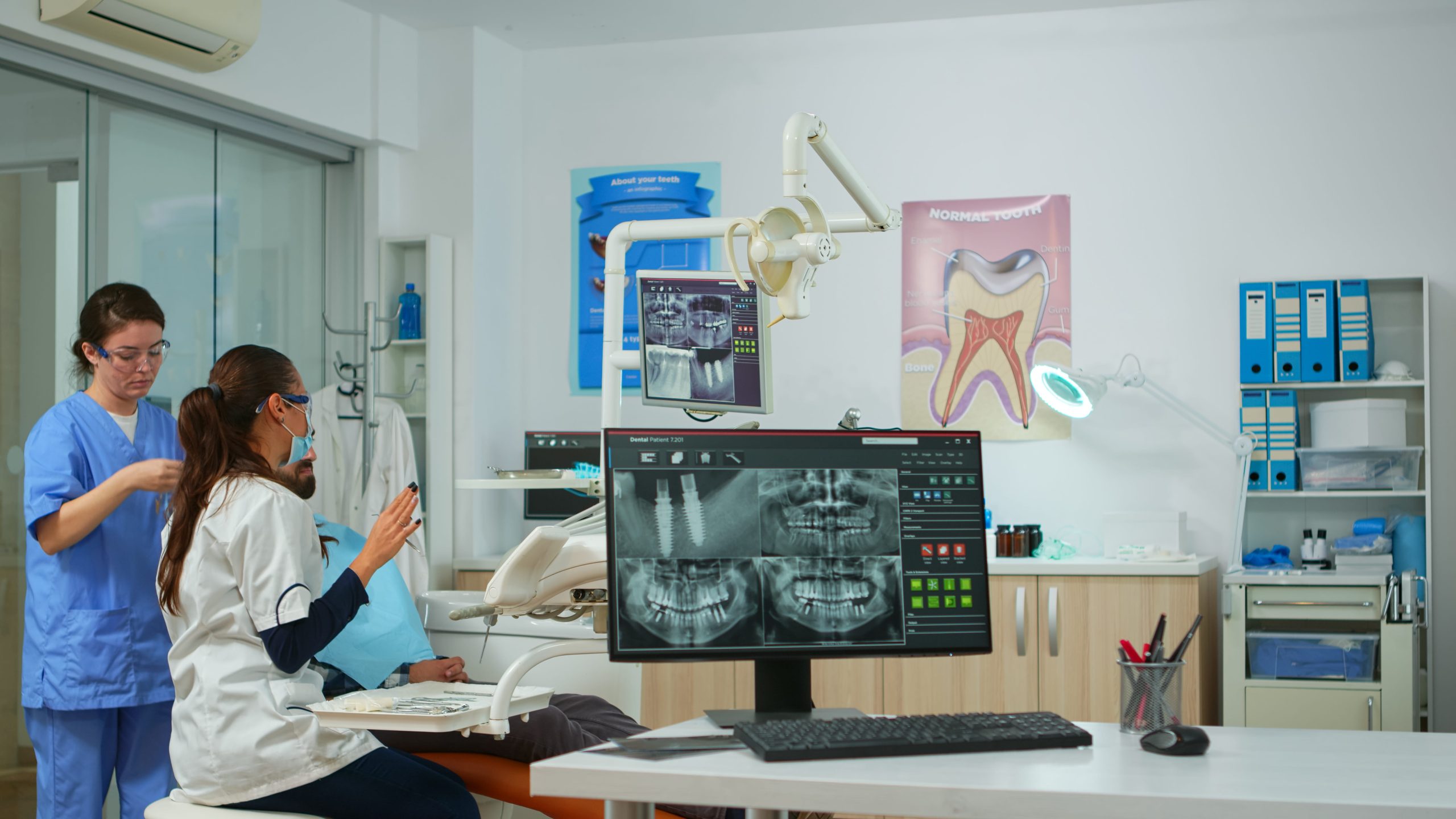
What IT Setup Does a New Dental Practice Need Before Opening?
A complete dental office IT setup includes the systems, hardware, software, and security tools that help your team work efficiently from the first day of business. Your IT foundation should support the front desk, treatment rooms, imaging systems, phones, internet, patient records, billing, and secure communication.
A new dental practice may need:
- Business-class internet service
- Network infrastructure and structured cabling
- Secure staff Wi-Fi and separate guest Wi-Fi
- Front desk, admin, and treatment room workstations
- Chairside computers and monitors
- Practice management software setup
- Dental imaging software and hardware integration
- Server, cloud, or hybrid system planning
- Firewall and endpoint protection
- Data backup and disaster recovery
- VoIP phones and communication systems
- Email security and password policies
- User access controls
- Opening-day testing and support
The goal is to build a system that fits the way your practice works. Your IT setup should help your team schedule patients, capture images, access records, process billing, communicate clearly, and protect sensitive information without constant interruptions.
How Early Should IT Be Set Up Before a Dental Office Opens?
Dental IT planning should begin months before opening day. Early planning helps your practice avoid cabling mistakes, hardware delays, weak Wi-Fi coverage, software conflicts, and last-minute troubleshooting.
A practical dental IT setup timeline may include:
- 6 to 12 months before opening: Review the floorplan, operatory layout, front desk workflow, cabling needs, software options, imaging compatibility, internet provider options, budget, and vendor coordination needs.
- 3 to 6 months before opening: Install core infrastructure, including structured cabling, network switches, firewall protection, Wi-Fi access points, server or cloud preparation, phone system planning, and hardware ordering.
- 1 to 3 months before opening: Configure daily-use systems, including front desk computers, treatment room workstations, practice management software, imaging software, user accounts, printers, scanners, backup systems, and security tools.
- 2 to 4 weeks before opening: Test the full workflow, including staff logins, imaging access, backup systems, phones, Wi-Fi, printing, software access, and HIPAA-aware security settings.
- Opening week: Have IT support available for workflow checks, rapid troubleshooting, final system adjustments, and questions that come up as the team begins seeing patients.
Do We Need a Server, Cloud System, or Both for a New Dental Clinic?
The right setup depends on your practice management software, imaging systems, number of users, remote access needs, cybersecurity requirements, and long-term growth plan. Some dental practices still need an on-site server, others work well with cloud-based software, and many benefit from a hybrid setup.
A dental practice may need:
- An on-site server if certain imaging systems, software platforms, local storage needs, or complex workflows require local processing power and direct in-office access.
- A cloud-based system if the practice wants easier remote access, lower on-site hardware needs, flexible scalability, vendor-managed updates, or support for future multi-location growth.
- A hybrid IT setup if the practice wants the convenience of cloud-based tools while still using local imaging storage, on-site equipment, cloud backup, or other systems that support flexibility and redundancy.
What Computers and Equipment Are Needed for a New Dental Practice?
The computers and equipment needed for a new dental practice depend on the size of the office, number of operatories, software systems, imaging equipment, and clinical workflow. A smaller startup office may need a different setup than a multi-provider practice.
Common dental office technology needs include:
- Front desk computers
- Treatment room workstations
- Doctor and admin computers
- Monitors
- Keyboards and mice
- Printers and scanners
- Network switches
- Firewall
- Wireless access points
- Server or cloud access hardware
- VoIP phones
- Backup devices or backup software
- Imaging workstations
- Digital X-ray and sensor integration support
- Label printers or specialty devices if needed
Chairside computers should be planned carefully. They need to support the clinical team without creating clutter or workflow problems. Treatment room computers may need access to practice management software, imaging software, patient education tools, and communication systems.
What Network, Cabling, Internet, and Wi-Fi Systems Does a Dental Office Need?
A dental office needs a reliable network because nearly every part of the practice depends on connectivity. Scheduling, imaging, treatment planning, billing, phones, patient forms, and communication tools may all rely on your network.
Structured Cabling for Dental Operatories and Workstations
Structured cabling should be planned before walls are closed. Your IT provider should review where computers, phones, imaging equipment, printers, and access points will be located.
Wired connections are often preferred for key workstations and imaging systems because they provide stronger stability than relying on Wi-Fi alone. This is especially important in treatment rooms where delays can disrupt patient care.
Business-Class Internet and Backup Connectivity
A dental office should have reliable internet service that can support cloud systems, imaging transfers, patient communication tools, phones, and daily administrative tasks. If your practice depends heavily on cloud-based software, internet reliability becomes even more important.
Some practices may also benefit from backup internet or failover options. This can help reduce downtime if the primary internet connection fails.
Secure Staff Wi-Fi and Guest Wi-Fi
Staff Wi-Fi and guest Wi-Fi should be separated. Patient devices should not connect to the same network used for practice systems, imaging, records, or business operations.
Separate Wi-Fi networks help improve:
- Security
- Performance
- Privacy
- Patient convenience
- Network control
A secure wireless design supports both the patient experience and the protection of practice systems.
How Should Dental Imaging and Practice Management Software Be Integrated?
Dental software integration is one of the biggest reasons to work with an IT company that understands dental practices. Your practice management software, imaging software, digital X-rays, sensors, intraoral cameras, billing tools, and communication systems must work together.
Cornerstone Solutions has experience with more than 30 dental, veterinary, and medical software and hardware solutions. That experience helps us coordinate technology around real practice workflows instead of treating each system as a separate piece.
Dental software integration may involve:
- Practice management software
- Imaging software
- Digital X-rays
- Sensors
- Intraoral cameras
- Patient communication systems
- Billing and insurance systems
- Hardware compatibility
- Vendor coordination
- Workflow testing before launch
When software and hardware are not planned correctly, practices can face delays, duplicate work, vendor confusion, and opening-day frustration. Early coordination helps reduce those problems.
What Cybersecurity Protection Does a New Dental Office Need?
A new dental office needs cybersecurity protection before patients begin sharing personal and health information. Cybersecurity should not be treated as an add-on after the practice opens. It should be part of the foundation.
Cybersecurity protections may include:
- Firewall protection
- Endpoint protection
- Anti-malware protection
- Email security
- Password policies
- Multi-factor authentication
- Secure remote access
- Software patching
- Staff access controls
- Backup monitoring
- Cybersecurity awareness training
- Ransomware protection
Dental practices are responsible for protecting sensitive patient information, and weak technology systems can create unnecessary risk. A strong cybersecurity plan helps protect the practice from phishing, ransomware, unauthorized access, system downtime, and data loss.
How Can We Protect Patient Information From Day One?
Dental practices handle sensitive patient information from the moment they begin scheduling appointments, collecting forms, taking images, and storing clinical records. Your IT setup should support secure access, protected storage, reliable backups, and responsible user permissions.
Protecting patient information is not only about technology. It is also about building practical systems your team can use every day. Clear access rules, secure login practices, monitored backups, and reliable support all help reduce risk.
What Backup and Disaster Recovery Plan Should a Dental Practice Have?
A backup and disaster recovery plan helps protect the practice from data loss, ransomware, hardware failure, accidental deletion, and disruption. Backups should be installed, monitored, and tested before opening day.
A dental practice backup plan may include:
- Automated backups
- Cloud backup options
- Local backup options
- Disaster recovery planning
- Ransomware recovery planning
- Backup testing
- Recovery expectations
- Monitoring and documentation
It is not enough to simply have a backup tool installed. Your practice should know whether backups are running, whether they can be restored, and how recovery would work if something went wrong. Testing before opening helps confirm that your systems are ready.
How Much Does Dental Office IT Setup Cost for a New Practice?
Dental office IT setup cost depends on the size of the practice, number of operatories, software systems, imaging equipment, server or cloud needs, cabling requirements, cybersecurity tools, phone systems, backup systems, and ongoing support needs.
Factors that can affect cost include:
- Number of computers and workstations
- Number of treatment rooms
- Server, cloud, or hybrid system needs
- Practice management software requirements
- Imaging hardware and software integration
- Cabling and network design
- Firewall and cybersecurity tools
- Backup and disaster recovery systems
- VoIP phone system needs
- Ongoing monitoring and support
Why Choose Cornerstone Solutions for Your Practice’s IT Setup?
Our team understands that your practice depends on technology functioning properly. We are large enough to deliver reliable service, yet small enough to take care of each client with personal attention. We work to understand your needs, build systems that fit your practice, and provide support when you need it.
Practices choose Cornerstone Solutions because we offer:
- Dental and healthcare-focused IT support
- Experience with more than 30 dental, veterinary, and medical software and hardware solutions
- Comprehensive IT services from one vendor
- Seamless integration with practice management systems
- Fast response times
- Reliable troubleshooting
- Trusted technology consulting
- Professional and approachable support
- Free IT assessments by phone, email, or contact form
Schedule a Free IT Assessment Before Your Dental Practice Opens
Opening a dental practice is easier when your technology is planned before the first patient appointment. From computers and cabling to cybersecurity, imaging integration, backups, phones, and support, the right IT setup helps your team start strong and avoid unnecessary disruptions.
Cornerstone Solutions provides customized IT setup and support for dental practices, healthcare offices, and small businesses throughout Colorado, Texas, and the Greater Rocky Mountain Region. If you are preparing to open a new dental practice, contact Cornerstone Solutions by phone, email, or the online contact form to schedule a free IT assessment and build a technology plan before opening day.
We are Here to Help!
Peace of mind is essential. Any time you need us, we’re just a click or call away.
Sign Up for Our Newsletter!
Don’t miss our quarterly newsletter. Sign up today!