
Walk With Us Through a Startup Orthodontic Office Buildout
Cornerstone Computer Solutions
Providing IT Services to the Healthcare Industry Since 2005!
Walk With Us Through a Startup Orthodontic Office Buildout
This is the story of how one startup orthodontic practice in Colorado went from an empty lease space to a fully wired, secure, opening-day-ready office, and where IT fit into every step along the way.

Why This Guide Exists
Most doctors do not realize how early IT needs to be involved
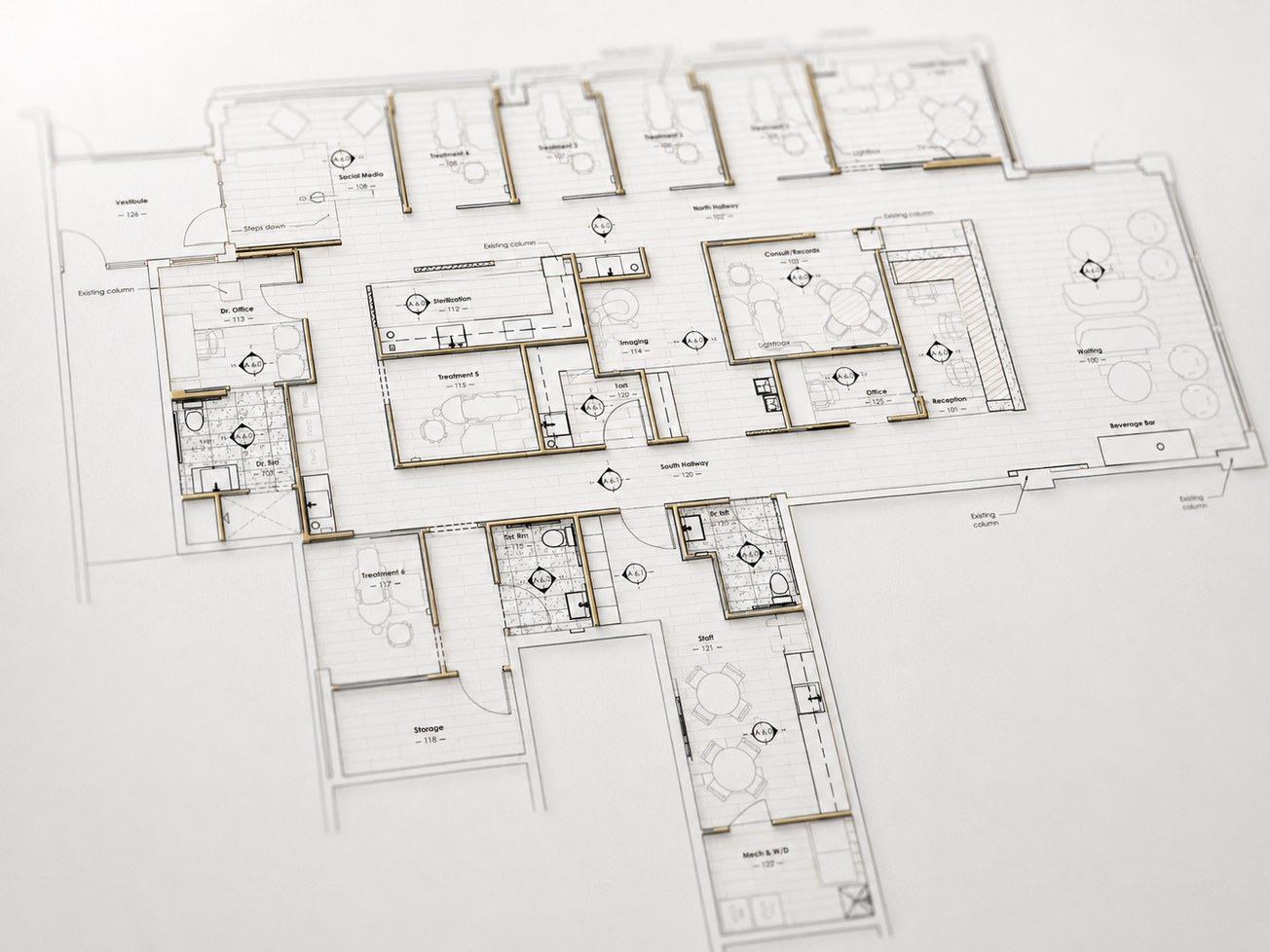
When a new practice is still negotiating a lease, choosing an architect, finalizing a floorplan, working with a lender, and estimating construction costs, it may feel too early to talk about IT. In reality, this is exactly when technology planning should begin.
The technology decisions made before construction can affect cost, timeline, workflow, security, and patient experience for years.
The First Introduction
February 2024: The first connection

The project began with a trusted introduction from the practice consultant to the doctor, who was planning a startup orthodontic practice in Colorado.
For startup doctors, a strong referral network matters. The right IT partner should be introduced early enough to influence the plan, not just react to it later.
The Intro Call
February 2024: Understanding the doctor's team and vision
At the time of the first call, the practice was still early in the process. The doctor was working with her real estate broker on finalizing the lease on her preferred location, coordinating with her architect, working with a lender, and beginning to think about an IT budget.

Where things stood at that point:
- Financing approved
- Architect hired
- Lease still being finalized
- Mac-based practice running Greyfinch
- Talking to 2 general contractors
- Talking to 2 dental equipment experts
The Waiting Period
March to September 2024: Startup projects move in stages
Not every startup moves in a straight line. Lease negotiations, floorplan revisions, lender requirements, and design decisions can take months. During this period, Cornerstone stayed in touch without forcing the process.


Cornerstone stayed in touch throughout the waiting period, answering questions, planning ahead, and ready to move quickly once the lease was finalized.
When IT Should Enter the Design Process
The ideal time is before final drawings and construction documents are issued
Once the lease was signed and plans were moving forward, the architect shared the current plan and 3D views. Her goal was to issue final drawings in mid-October, which created a window for Cornerstone to provide IT input before engineering and construction documents were finalized.
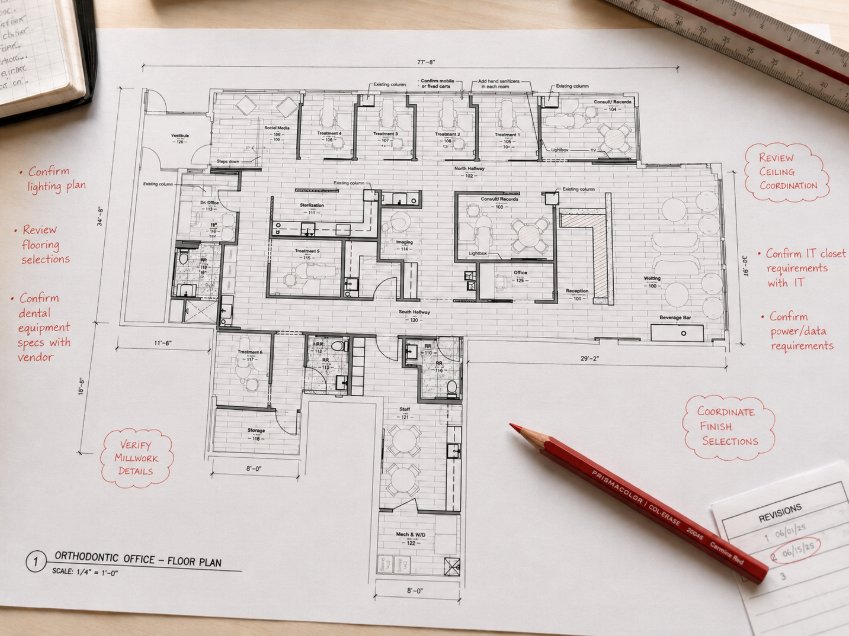
Developing an IT plan before you have finalized construction documents allows Cornerstone to coordinate technology-related items (power, data, backing, conduit, and more) with your architect and contractor, and eliminate IT-related change orders during construction. This is where IT can prevent missed data drops, poor WAP placement, awkward TV locations, missing backing, and expensive post-drywall changes.
Floorplan Review
September 2024: Room-by-room technology planning meeting
Cornerstone reviewed the floorplan with the doctor to understand how the practice would actually operate. The practice planned to be cloud-based with Greyfinch, and we discussed all IT details (cabling, computer locations, alarm and security camera systems, TV and speaker locations, VoIP options, and more).
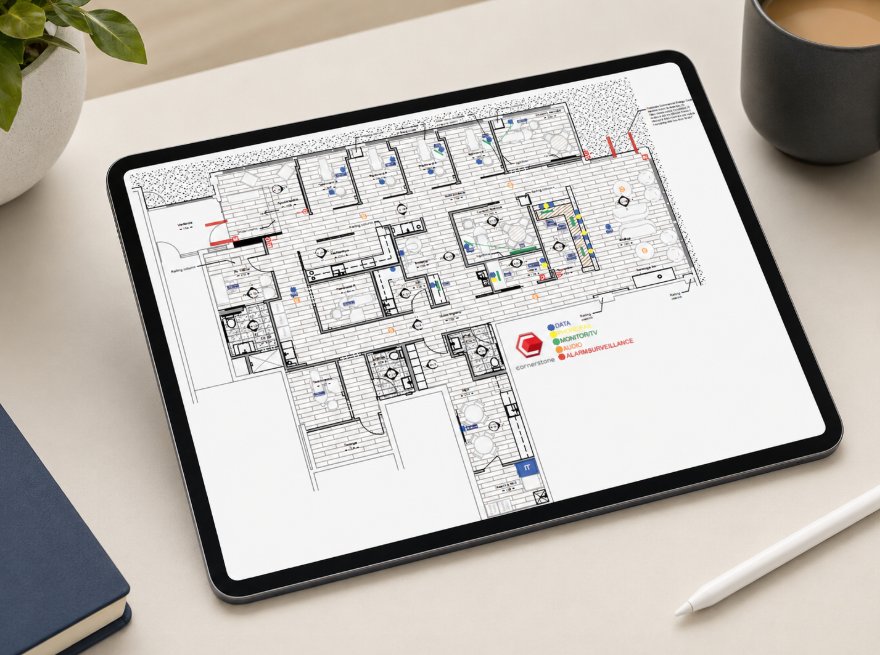
After the floorplan review, Cornerstone marked the floorplan and provided relevant details for the technology plan. This gave the architect, engineers, GC, and owner a clear picture of where technology infrastructure needed to go.
The Original Scope & Budget Conversation
Startup IT planning is always a balance between ideal design and budget reality
The original IT scope included structured cabling, network equipment, security camera and alarm systems, TV/video, audio, and phones.
Cornerstone's role was to help prioritize what needed to be done during construction, what needed to be ready for opening day, and what could be adjusted or phased if needed.
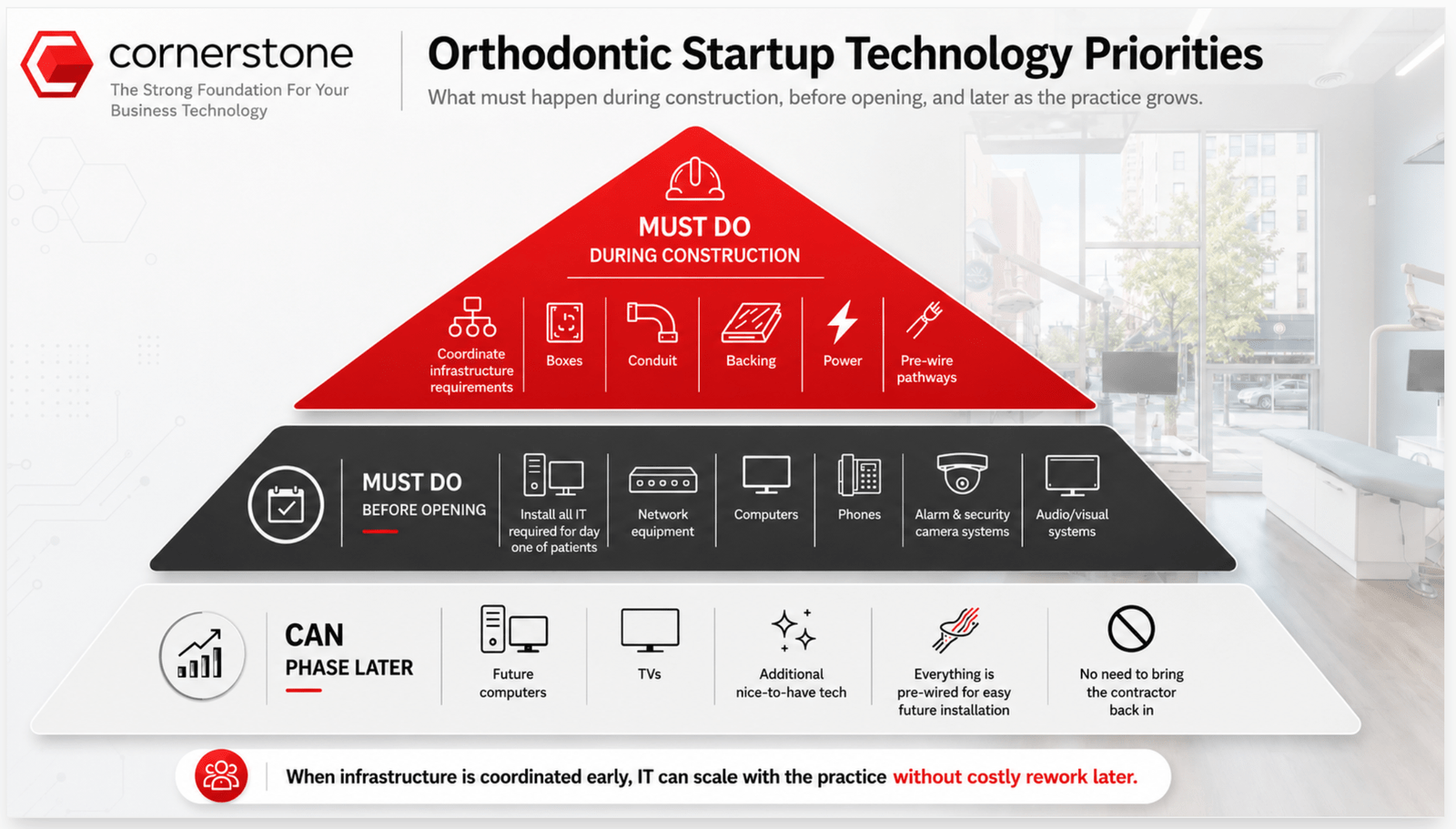
For startup practices, the most important budget question is not, "What is the cheapest way to open?" It is, "What needs to be done correctly now so we do not pay more to fix it later?"
Construction Begins Moving
January 2025: Chalk Walk | February 2025: Box Walk
Chalk Walk
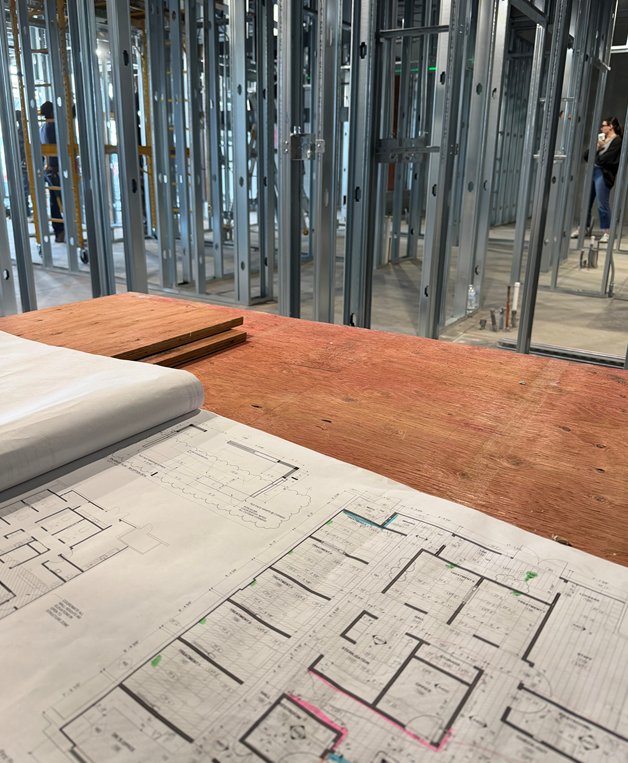
A chalk walk occurs before framing and is important because it ensures that critical infrastructure like conduit, core drills, and cabling pathways are accurately planned and marked on-site before construction progresses. This step prevents costly adjustments later, ensures IT needs are met, and aligns physical layouts with operational requirements.
Box Walk
A box walk occurs after framing but before drywall and is crucial because it is when we finalize the exact placement of all IT-related outlets, devices, and equipment before construction is completed. This ensures the infrastructure aligns with operational needs, eliminates guesswork, and avoids expensive changes after walls are closed. It is the last opportunity to verify everything is in the right place.
Prewire (and Why Structured Cabling Still Matters in a Cloud-Based Office)
March to April 2025: The office technology backbone was installed
During prewire, Cornerstone installed the cabling that would later support the office's network, Wi-Fi, cameras, phones, audio, TV, and workstation locations.
Cloud-based does not mean cable-free. Even though this practice planned to use Greyfinch and Macs, the office still needed a reliable wired foundation for computers, wireless access points, their pan/ceph, security cameras, printers, phones, and future growth.
- February 27: Site walk
- March 10: Rings installed
- March 25: Prewire started
- April 7: Prewire continued
- April 14: Prewire completed
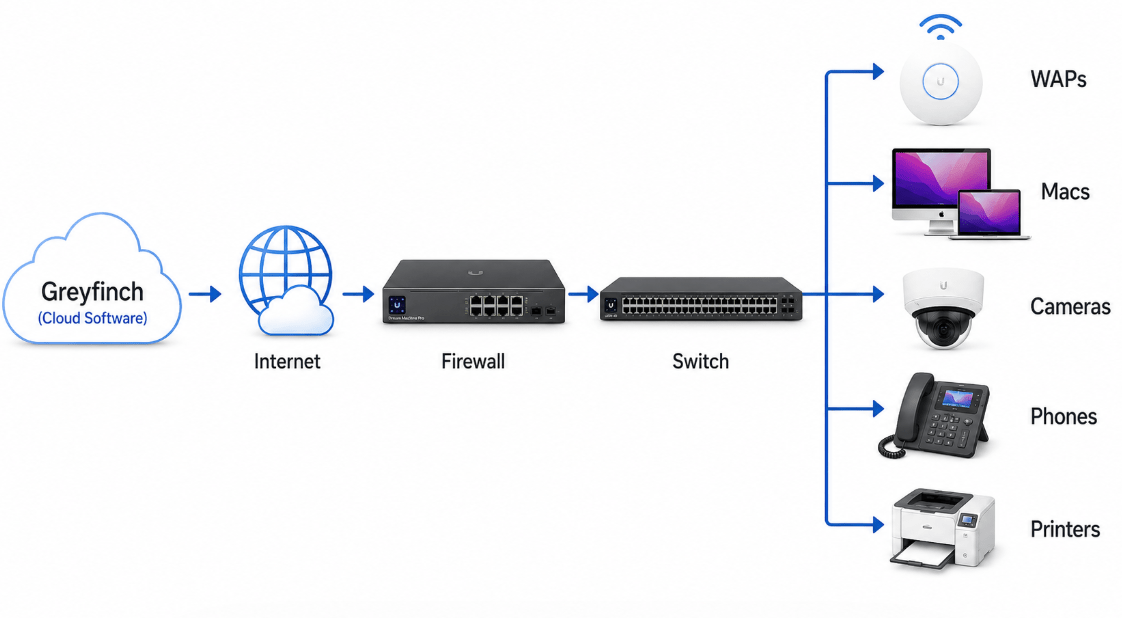
The cloud may run outside the building, but the practice still runs on the network inside the building.
Trim, Rack, and Field Finish
May 2025: Cabling moved from rough-in to finished infrastructure
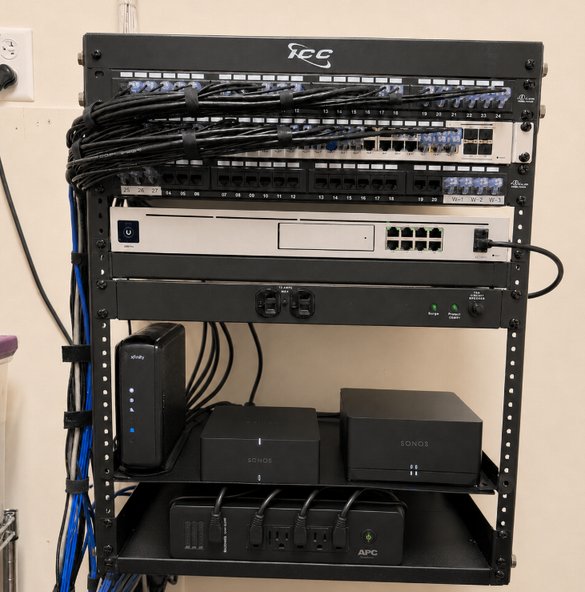
After prewire, the team installed the IT rack, tested, toned, and labeled all cabling, and prepared for device installation.
- May 2: Rack installed, cabling trim started
- May 15: Trim work continuing
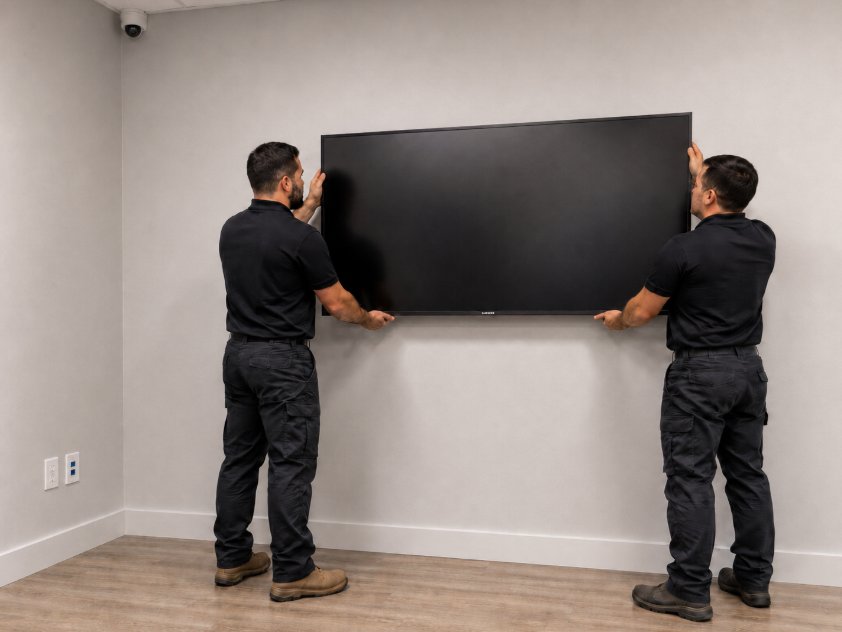
- May 16: Speakers, WAPs, cameras, floodlights, and TVs installed
- May 22: Data drops tested, toned, labeled, and plated
Cameras and Security Decisions
Physical security is an important part of IT security
Effective security starts with the physical environment. The right combination of systems and layout helps prevent intrusions, control access, and ensure staff and patient safety.
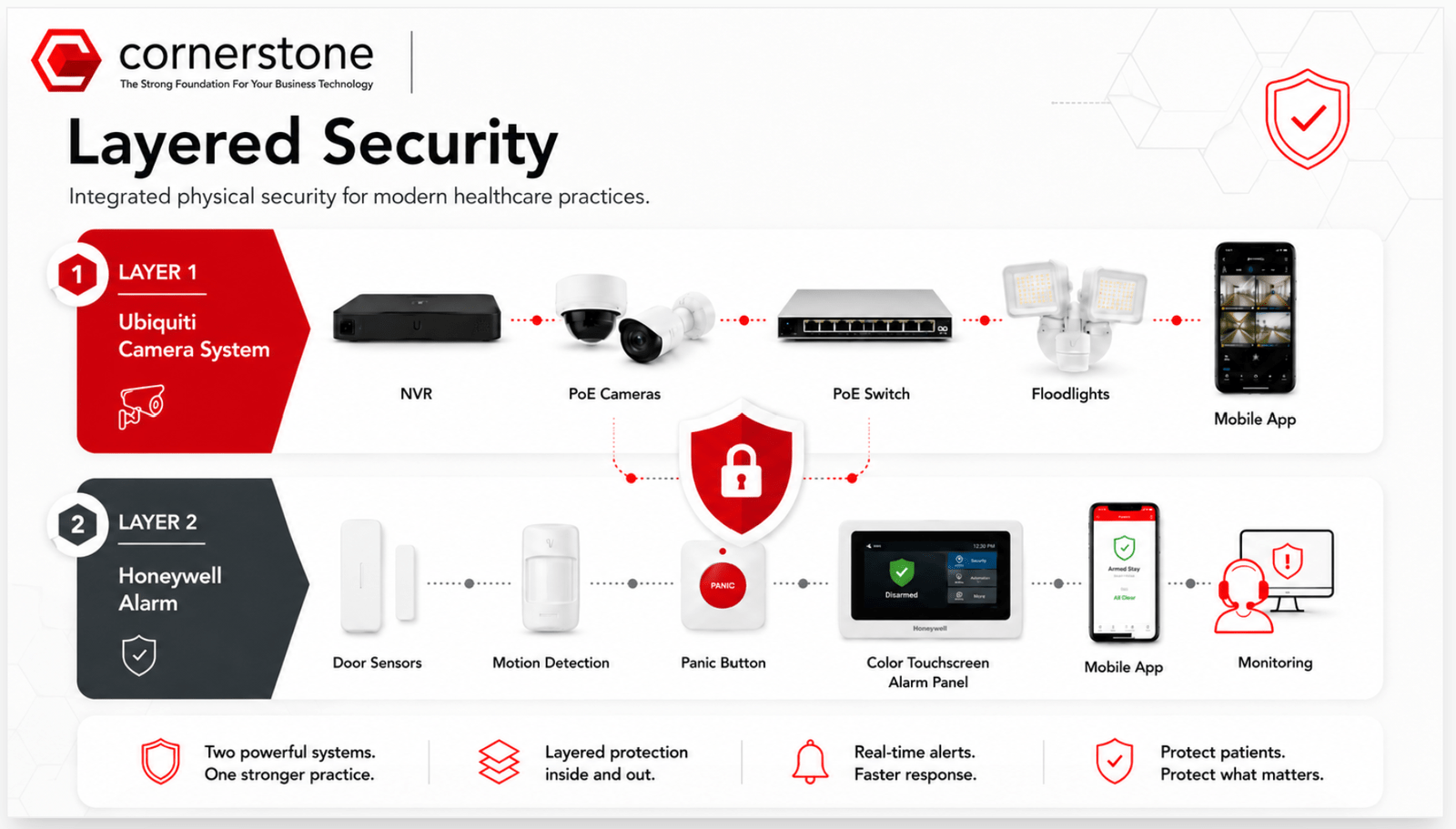
A secure healthcare practice safeguards what matters most: patients, data, and operations. From the initial layout to advanced network protection, thoughtful design creates safer environments and more confident teams.
The Internet Delay
June 2025: The project hit an issue with internet installation
Even when the construction and cabling work are moving, the final network installation depends on internet readiness. In this project, there was an unforeseen delay with the ISP (internet service provider) delivering fiber to the building.

Because the permanent circuit was not yet fully ready, Cornerstone used a temporary mobile router to continue setup and testing. This allowed the project to keep moving while the final fiber cutover was still being coordinated.
The temporary mobile router allowed us to continue for setup purposes, but it was still a bridge, and not a suitable replacement for the final internet connection.
Long-term, fiber should be the primary connection if it is available and appropriate budget-wise. 5G cellular backups are better than nothing, but in a cloud-based ortho practice, a cellular backup is not enough for proper failover. In our experience, it can work for a few computers and a few tasks, and that is about it. For solid redundancy that can realistically keep the office functioning, we recommend a coax connection as the secondary circuit.
Why Cornerstone Pushes ISP Planning Early
No internet means no real go-live
Computers, phones, cloud practice management, payment systems, cloud imaging, Wi-Fi, security apps, remote access, printers, scanners, and support tools all depend on internet. That is why Cornerstone encourages startup practices to start ISP planning as early as possible.
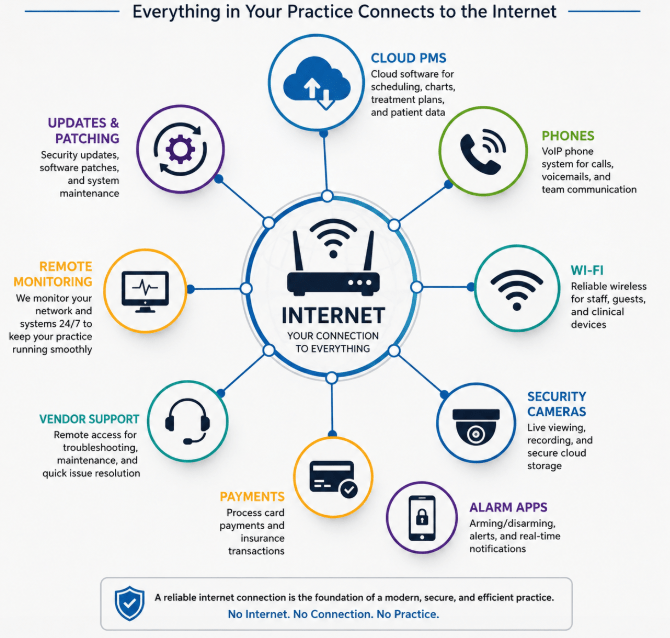
This is one of the most common startup bottlenecks, but one of the most preventable.
Install Resumes
July 2025: Final fiber cutover, network installation resumes
When the ISP arrived for the final internet cutover, Cornerstone worked through incorrect IP information from the provider, coordinated with the doctor's project manager and Comcast support, removed the temporary hotspot, and completed the transition to production internet.
The ISP technician initially provided incorrect IP ranges, requiring additional coordination before the cutover could be completed. This is why practices need an IT partner who can own the issue, not just point at the ISP.
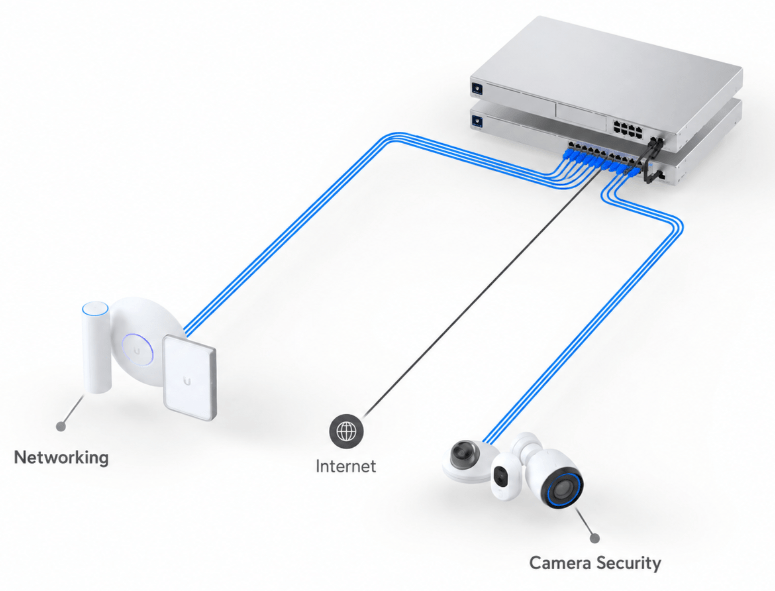
Once the project was ready to move again, Cornerstone returned onsite to complete the core network installation.
Computer Setup
The final details make the office usable
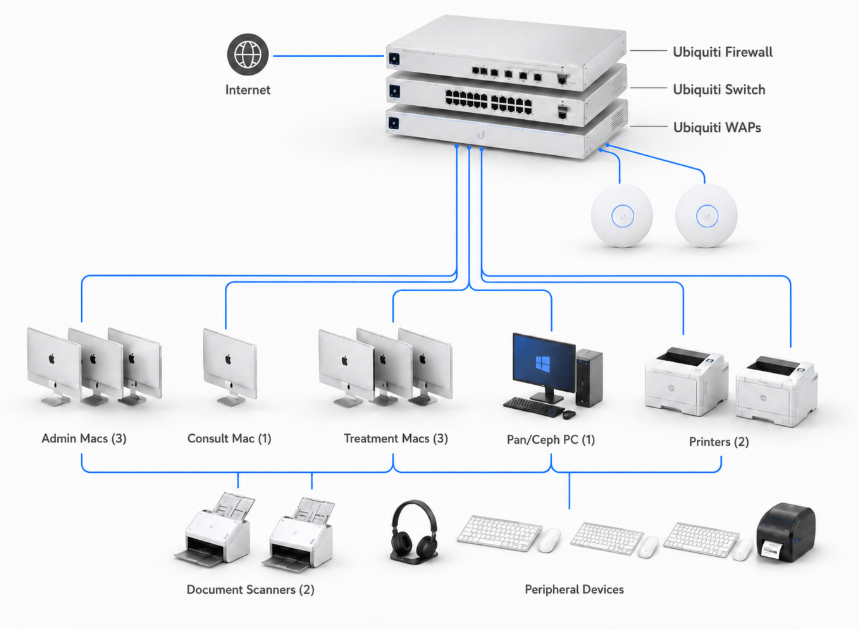
After the network was online, Cornerstone fully installed, configured, and tested the 7 Macs (3 Admin, 1 Consult, 3 Treatment), 1 PC (pan/ceph), 2 printers, 2 document scanners, and all peripheral devices.
Finishing Audio & Security Systems
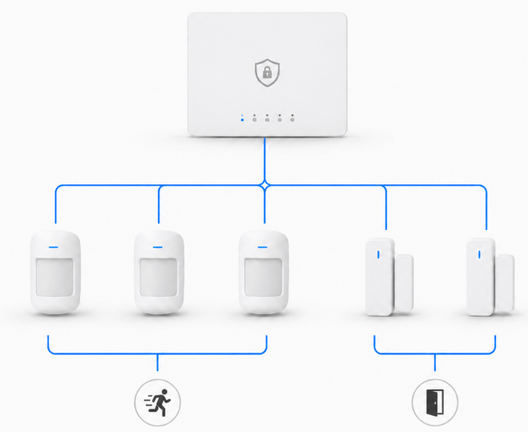
Alarm System
- Accounts created
- Paperwork submitted
- All equipment tested
- Mobile app configured
- User training completed
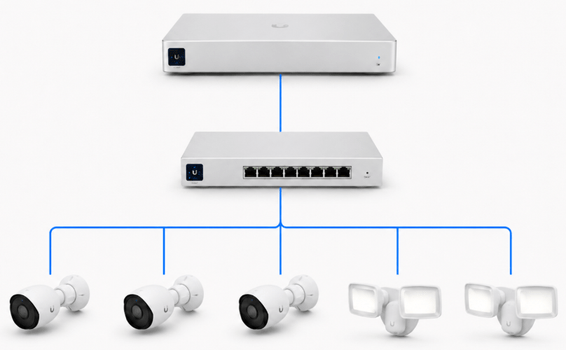
Camera System
- Accounts created
- All equipment tested
- Mobile app configured
- User training completed
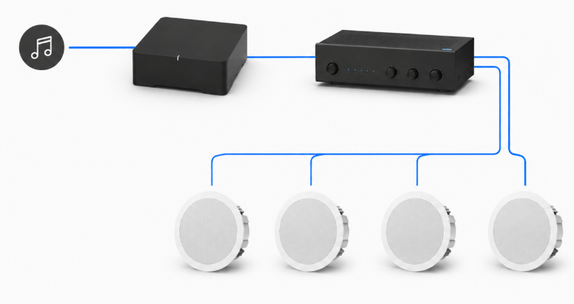
Audio System
- Accounts created
- All equipment tested
- Mobile app configured
- User training completed
The job is not done when the devices are installed. The team needs to know how to use them.
Opening Day
For the first day of patients, we were onsite, not just on call
For the first few hours of the practice's first patient day, Cornerstone had a technician onsite. The day was uneventful, and that was the goal.
After months of planning, cabling, network setup, security configuration, dental software integration, printer and scanner setup, and training, opening day should feel calm. We do not want a startup doctor wondering who to call if something goes wrong. We want to be there, ready to help, so the team can focus on patients.
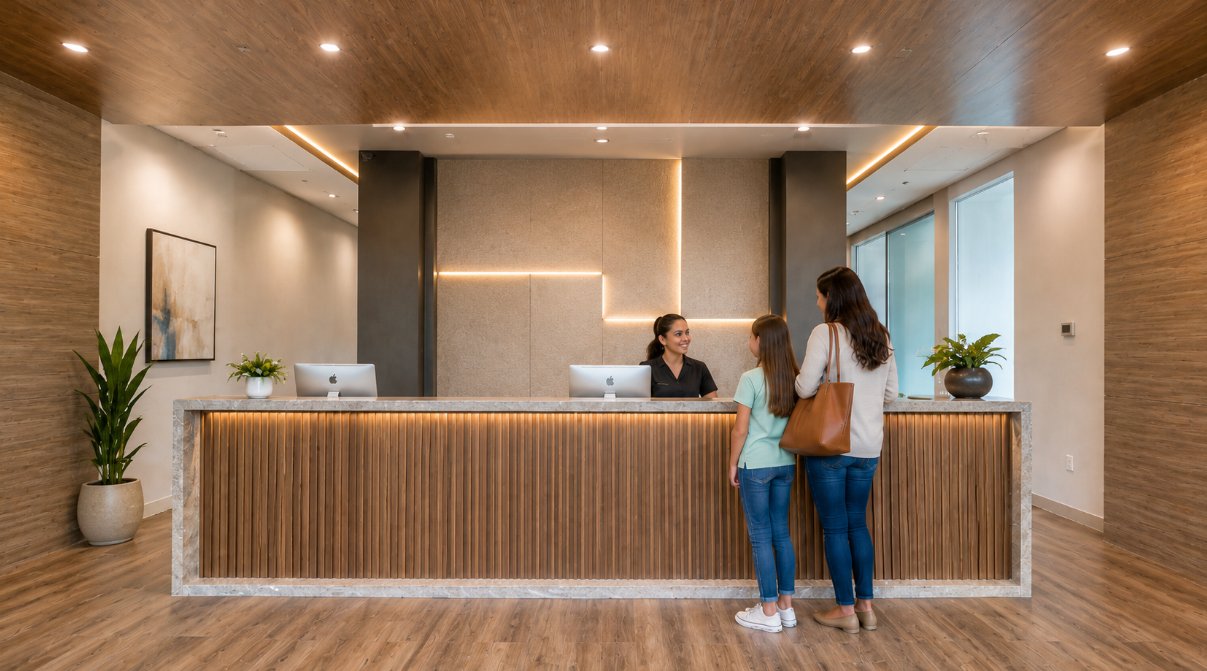
A smooth opening day usually looks boring from the outside. That is the result of months of planning, coordination, installation, testing, and follow-through.
Managed Services Transition
After construction, the relationship shifts to ongoing support
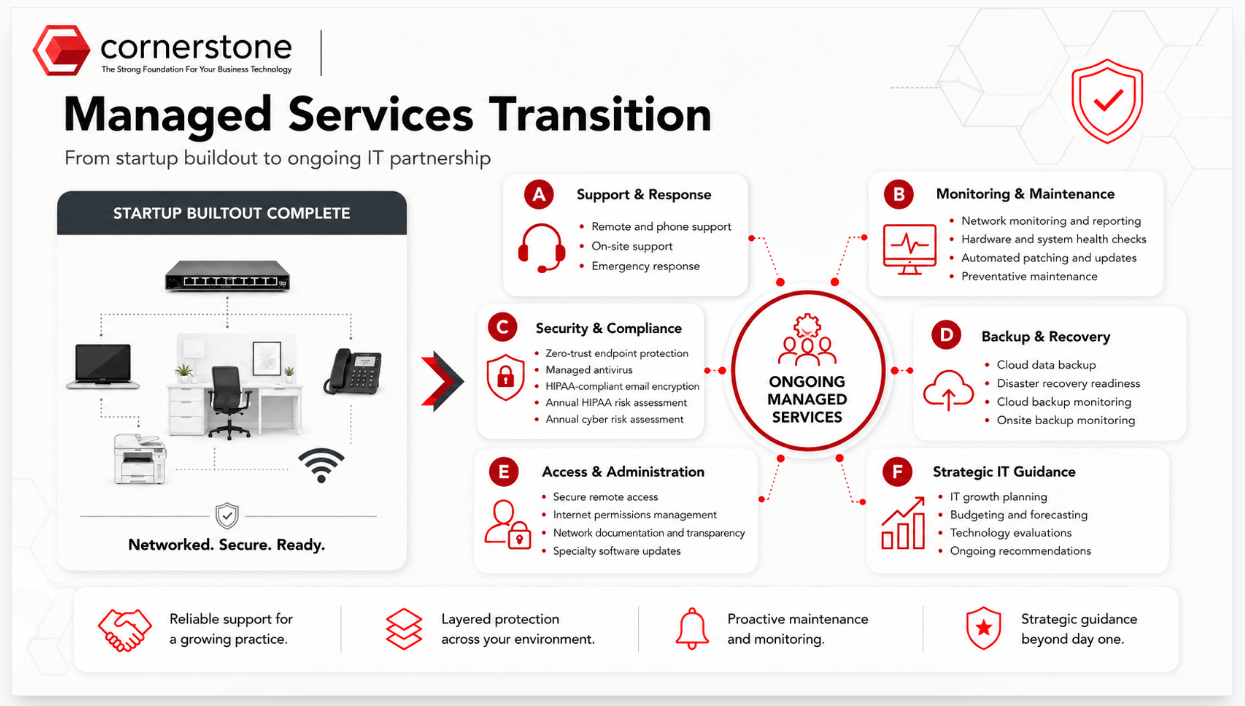
A startup buildout does not end when the equipment is installed. Once the practice opens, the technology environment needs monitoring, updates, security, vendor coordination, documentation, and responsive support.
Planning a Startup Practice?
Bring Cornerstone in early. The smoothest opening days are built months before the first patient walks in.
- We help you plan it. Floorplan review, budget planning, technology scope, ISP guidance, construction coordination, and vendor alignment.
- We help you build it. Structured cabling, networking equipment, security cameras, alarm systems, phones, audio and visual solutions, printers, scanners, and computers.
- We help you open it. Final testing, software setup, staff training, onsite opening-day support, documentation, and go-live troubleshooting.
- We help you run it. Ongoing managed IT support, cybersecurity, monitoring, updates, vendor coordination, and long-term technology guidance.
We are Here to Help!
Peace of mind is essential. Any time you need us, we’re just a click or call away.
Sign Up for Our Newsletter!
Don’t miss our quarterly newsletter. Sign up today!